Ask useful questions
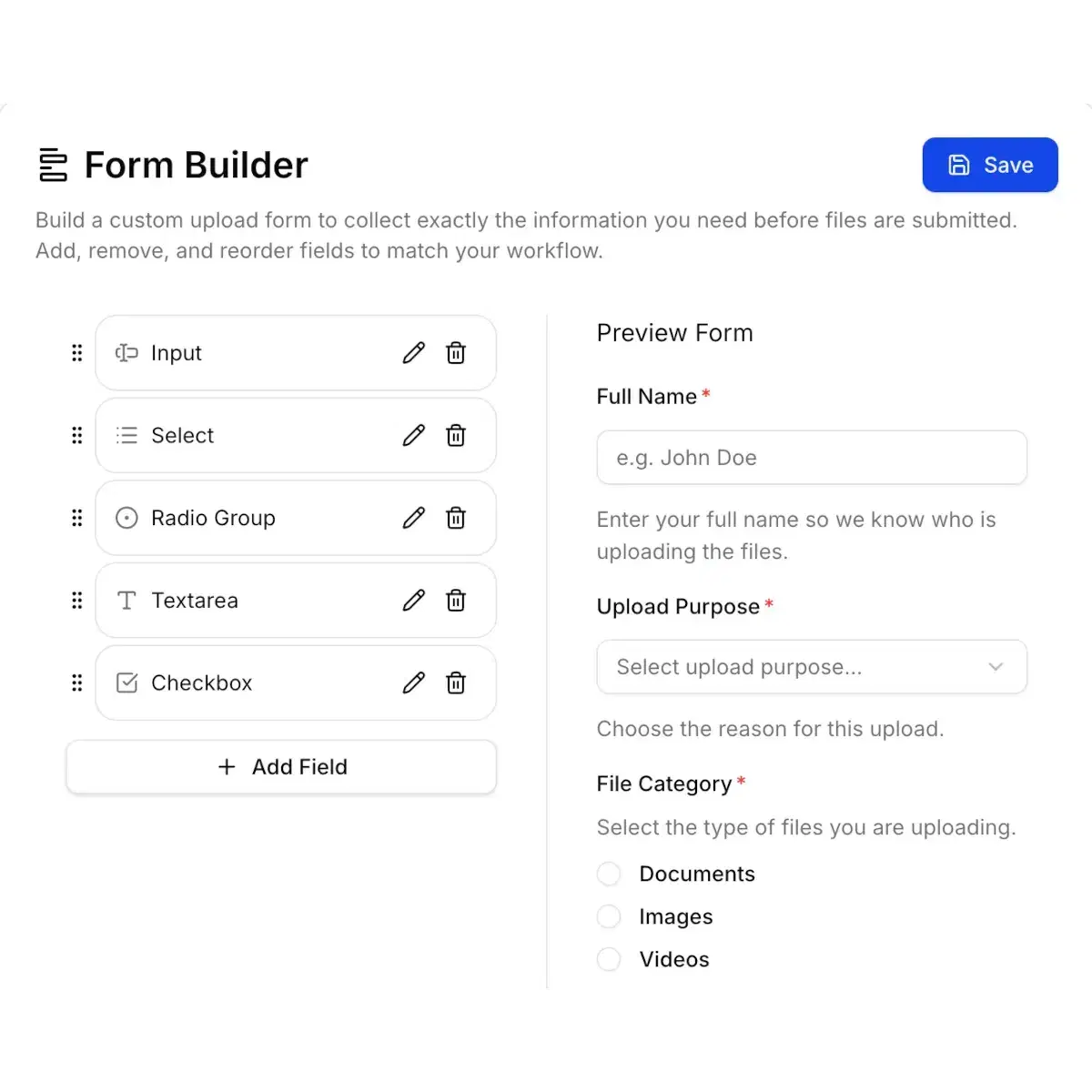
Add text, email, number, long-answer, dropdown, radio, or checkbox fields. Mark the details you need as required; choice fields support up to five options.
Google Drive form builder
Ask the right questions, request each document in its own field, and collect the files in your Google Drive. Build a file upload form for client briefs, applications, or project handoffs.
Try one Simple upload page for 24 hours, with no credit card. Structured forms and advanced organization require an active paid plan.
Structured form · Paid feature
Collect the project details, one brief, and optional supporting files in a single submission.
Interactive preview only. Entries and selected files stay in this page’s browser memory; nothing is uploaded or saved. Reload to clear them.
One PDF with the goals and requirements.
Optional reference images or a ZIP of project assets.
Add text, email, number, long-answer, dropdown, radio, or checkbox fields. Mark the details you need as required; choice fields support up to five options.
In Structured mode, create a separate file field for a brief, CV, portfolio, or invoice. Set the required status, accepted file types, size limit, and file count for each field.
Arrange fields into rows and add headings, descriptions, or dividers. Preview your form before sharing it with clients or guests.
Use Simple for one general upload area with questions alongside it. Choose Structured when different documents need different fields and rules.
Available during trial
Active paid plan required
As the owner, connect your Google account and select a folder you can use. A Shared Drive destination also needs the required account access and Workspace permissions.
Choose a form mode, add fields, and configure their rules. Use Simple during the trial or a paid plan for Structured forms and advanced organization.
Send the link or QR code, or embed the upload page on your website. Guests open it in their browser, complete the required fields, and upload their files.
Files go to the connected Google Drive. Review form answers and file details in SendToDrive, then follow your own review process.
Configure paid organization features to match how you work. Start with the destination folder, then add the structure you need.
Create a separate subfolder for each submission so one client’s files stay together.
In Structured mode, enable a subfolder for a file field to separate briefs, supporting assets, or other document types.
Configure Smart Routing rules and destination templates. Matching answers choose a destination; unmatched submissions use the configured default.
Example of a rule you configure
Project type is Photography → Projects / Photography
Routing uses configured form answers and rules. It does not read document contents or connect to a different owner’s Drive account.
Paid plans also offer signed webhooks and notifications. Google Sheets synchronization requires the integration to be enabled and configured.
Explore organization and integration featuresGuests do not need a Google account to submit. Passwords, access codes, required fields, and the page’s expiry can still apply. An upload link does not give guests permission to browse, edit, or delete existing Drive files; permissions granted separately in Drive still apply.
File content uploads from the browser to Google Drive. SendToDrive processes form answers, submission records, and operational data. Business workspace membership manages pages and actions in SendToDrive; access to Drive files remains separate.
Start with a Simple page for 24 hours. Choose a paid plan when your workflow needs separate document fields, routing, or ongoing file collection.
Create your upload form