Receive Large Files Securely and Directly in Google Drive
Create a secure upload link and collect large files directly into your Google Drive without folder sharing or permission risks.
Ideal for clients, customers, students, and teams who need a simple and professional way to send large files safely.
Why Receiving Large Files Is Often Complicated
Receiving large files should be simple. But in practice, most tools make it harder than necessary.
Common challenges when trying to receive large files:
- File size restrictions
- Users required to create accounts
- Shared folders exposing existing files
- Risk of accidental edits or deletions
- Files stored outside your own cloud storage
If you regularly collect videos, high resolution images, ZIP archives, or project files, you need a secure and scalable way to receive large files directly into your own storage.
A Better Way to Receive Large Files
Instead of relying on shared folders or third party storage, you can create a dedicated upload link that sends files directly to your Google Drive.
With SendToDrive, you control where files go, who can upload, and when the upload link is active. Uploaders can only submit files. They cannot browse, edit, or delete anything in your Drive.
When you receive large files with SendToDrive:
- Files go directly into your own Google Drive
- No Google account is required for uploaders
- Your existing folders stay private
- You remain the full file owner
- Upload links can be disabled anytime
This gives you a secure and professional way to receive large files without exposing your storage or managing complicated permissions.
How to Receive Large Files Securely
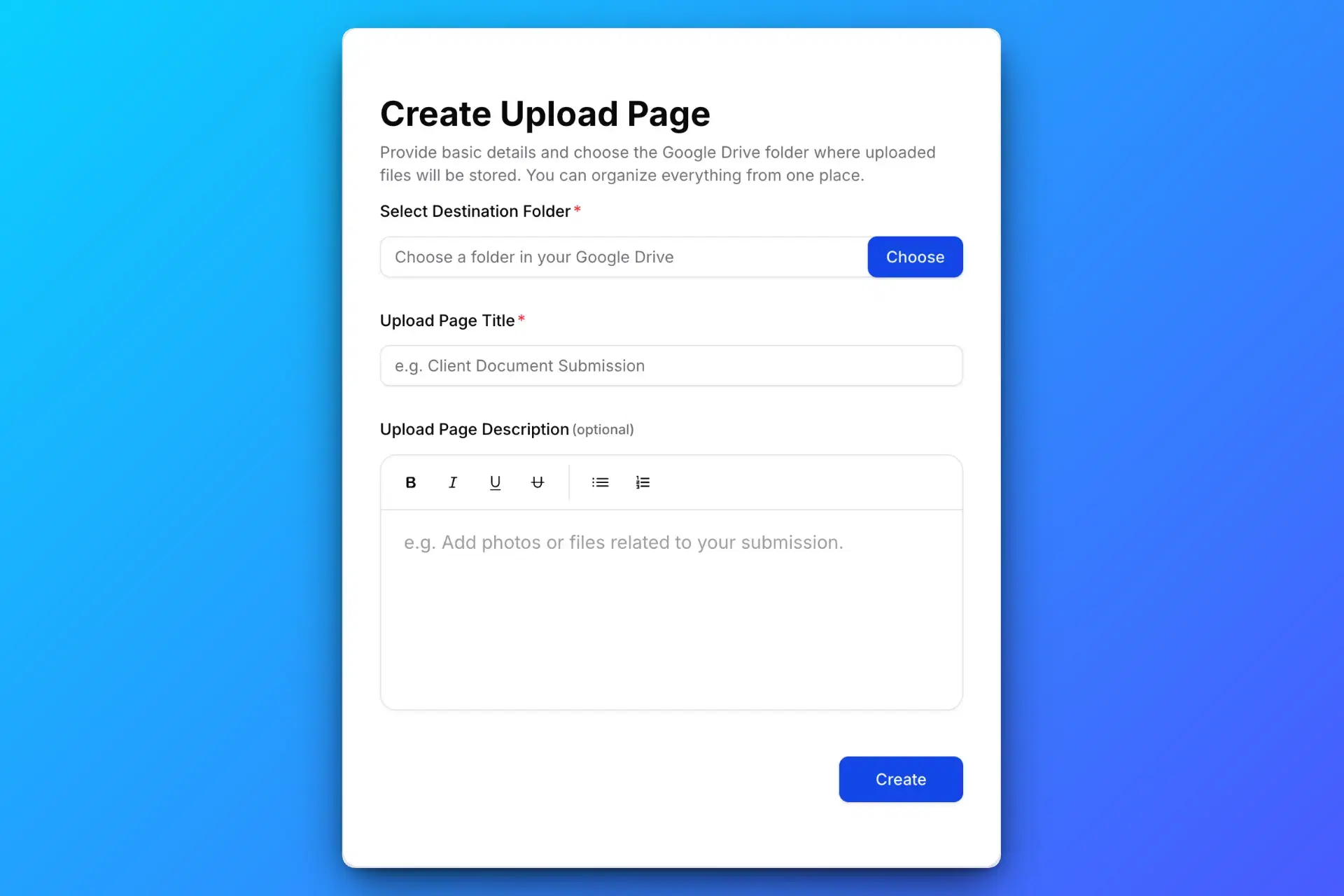
1. Create a Large File Upload Page
Create a secure upload page using SendToDrive to receive large files directly into your Google Drive.
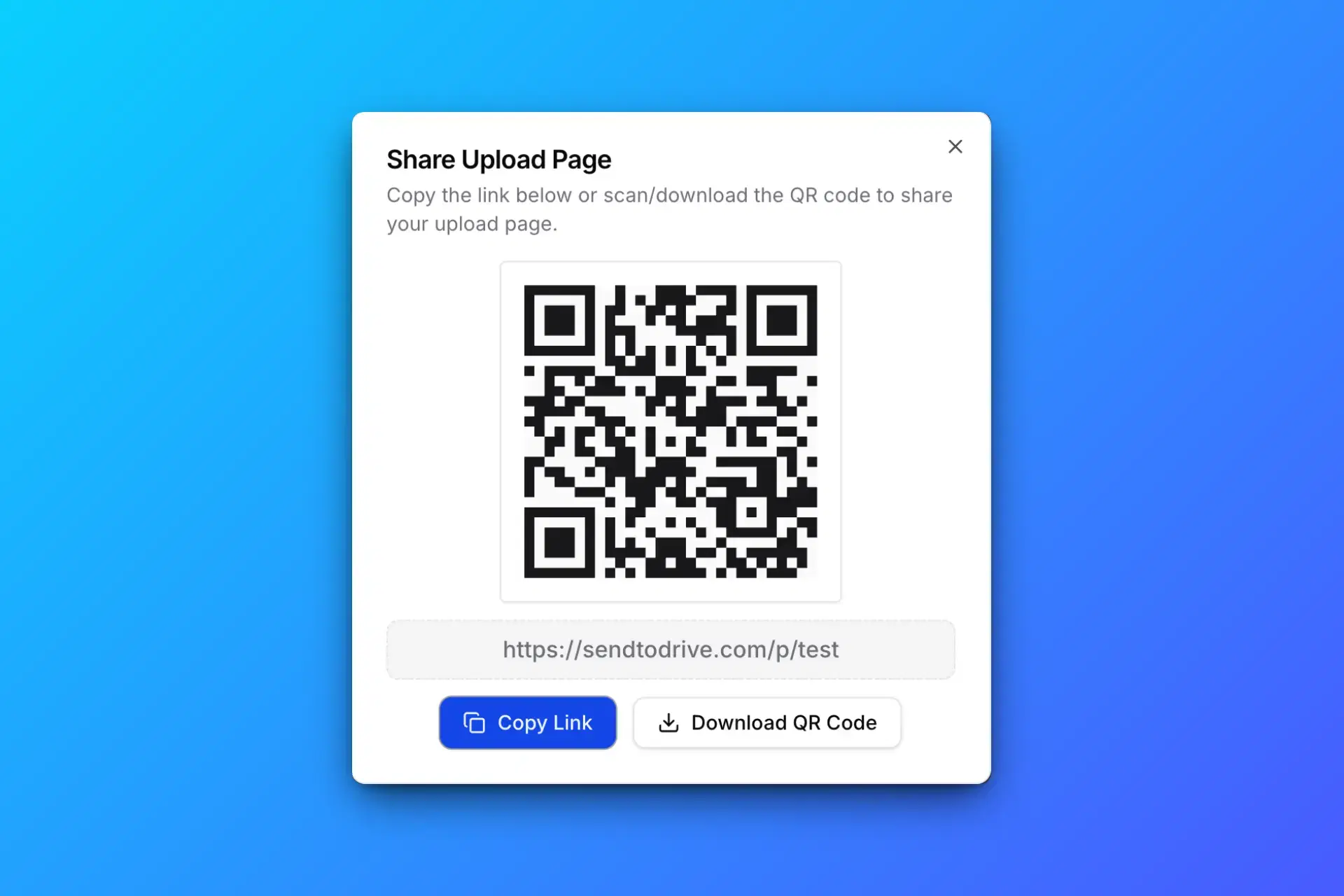
2. Share Your Secure Upload Link
Share your upload link or QR code with anyone who needs to send you large files.
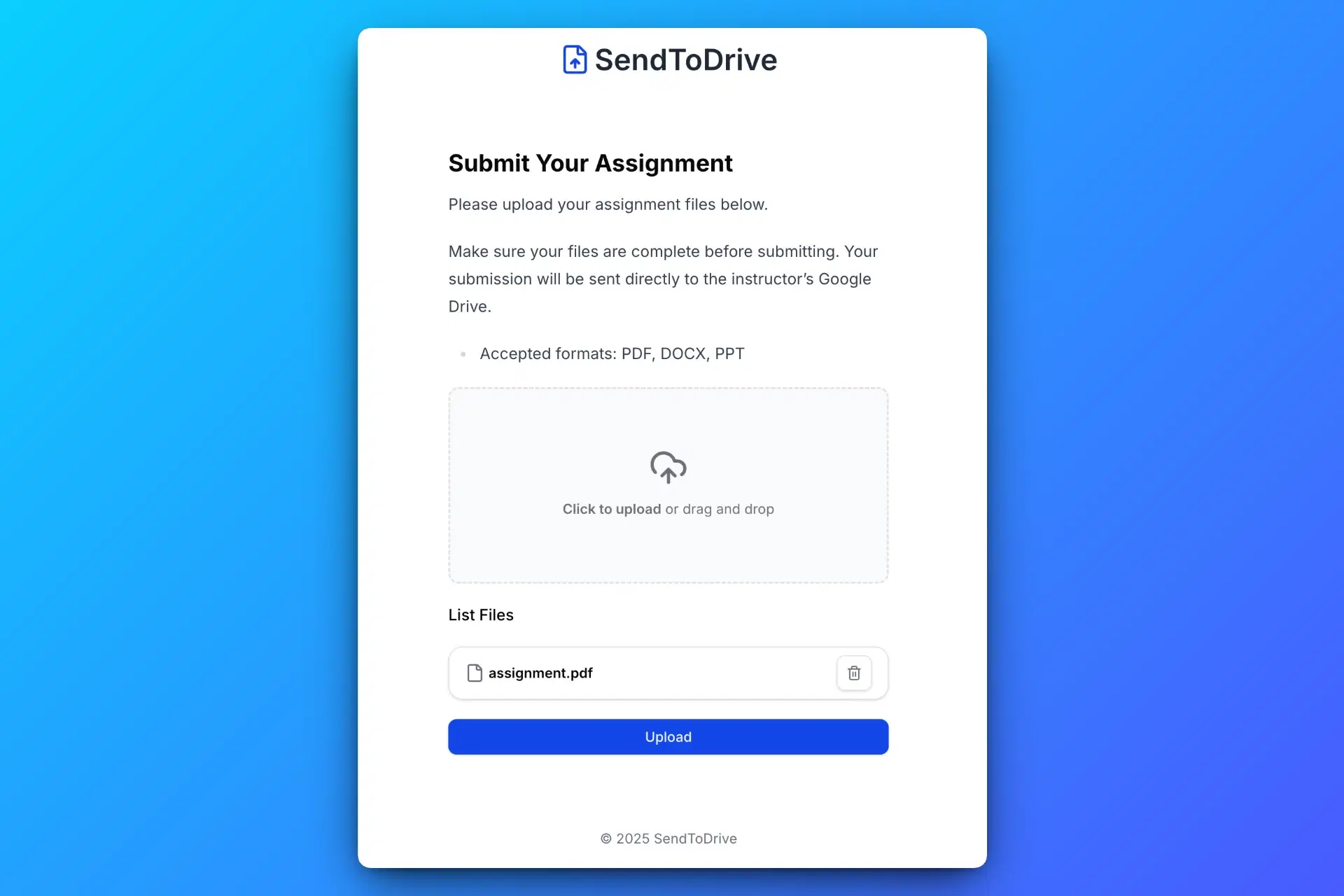
3. Others Upload Large Files
Uploaders can send large files through your secure upload page without accessing your Google Drive.
4. Receive Large Files Directly in Your Google Drive
All large files are automatically saved to your Google Drive, organized and ready to use.
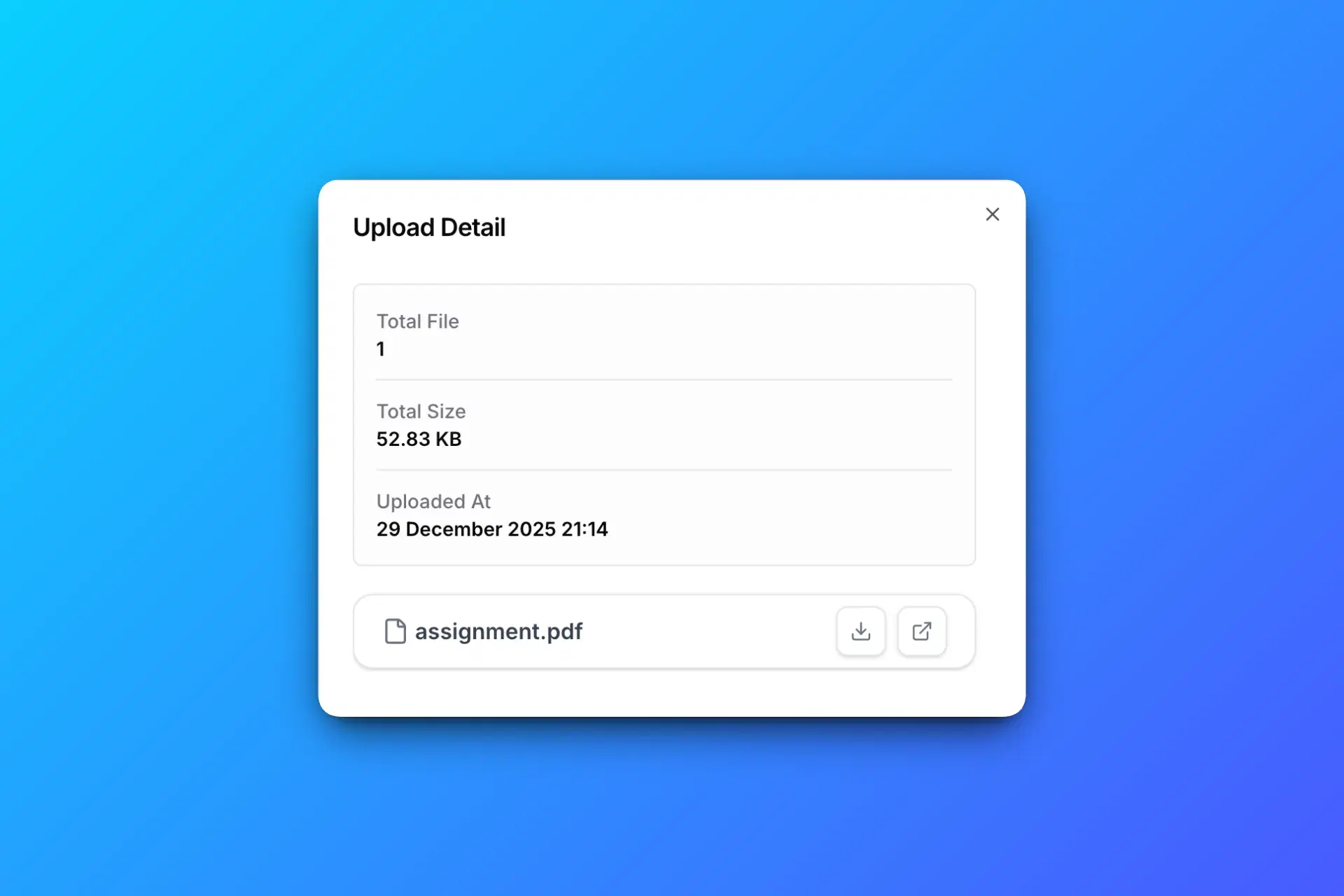
Every large file is uploaded directly into your Google Drive, securely stored, and fully under your control.
Upload Link vs Google Drive Folder Sharing
Many people try to receive large files by sharing a Google Drive folder. While it works in small teams, it creates security and permission risks when collecting files from clients or external users.
| Feature | Upload Link | Folder Sharing |
|---|---|---|
| Receive large files securely | Yes | Limited |
| Google login required | No | Yes |
| View existing files | No | Yes |
| Risk of edits or deletion | No | Yes |
| Best for collecting large files | Yes | No |
If your goal is to receive large files safely and professionally, a dedicated upload link is the better solution.
Who Needs to Receive Large Files
If you regularly collect videos, design files, archives, or high resolution media, you need a reliable way to receive large files directly into your own storage.
Agencies and Creative Teams
Receive large video projects, PSD files, RAW images, and production assets from clients without sharing Drive access.
Freelancers
Collect project files, contracts, and media uploads in one organized Google Drive folder.
Schools and Universities
Allow students to upload assignments and large project files without requiring Google account access.
Event Organizers
Collect photos and videos from attendees securely using a simple upload link.
Businesses and Teams
Receive large documents, reports, and data files directly into your Google Drive without permission risks.
Secure and Controlled Large File Collection
When you receive large files, security and control matter. You should never expose your existing folders or give uploaders permission to edit your storage.
With SendToDrive:
- Files are stored directly in your own Google Drive
- You remain the full file owner
- Uploaders cannot view existing files
- No editing or deletion access is granted
- You can disable upload links anytime
This gives you a professional way to receive large files securely, without complicated permissions or shared folder risks.
Ready to Receive Large Files Securely in Your Google Drive?
Create a secure upload page in minutes and start collecting large files directly into your own Google Drive without sharing folders or giving edit access.
No folder sharing. No permission risks. Full control over your files.