Wedding Guest Photo Sharing with QR Code Upload
Collect Beautiful Wedding Photos from Guests — Instantly and Effortlessly
Your wedding day is filled with unforgettable moments. While your professional photographer captures the main highlights, your guests capture something just as special — candid smiles, emotional hugs, funny dancefloor moments, and behind-the-scenes memories.
But after the wedding, collecting all those photos can become surprisingly difficult.
That’s where wedding guest photo sharing with QR code upload makes everything simple.
With SendToDrive, you can let guests upload wedding photos directly to your Google Drive in seconds. No app downloads. No login required. No complicated shared folders.
Just scan, upload, and save every memory.
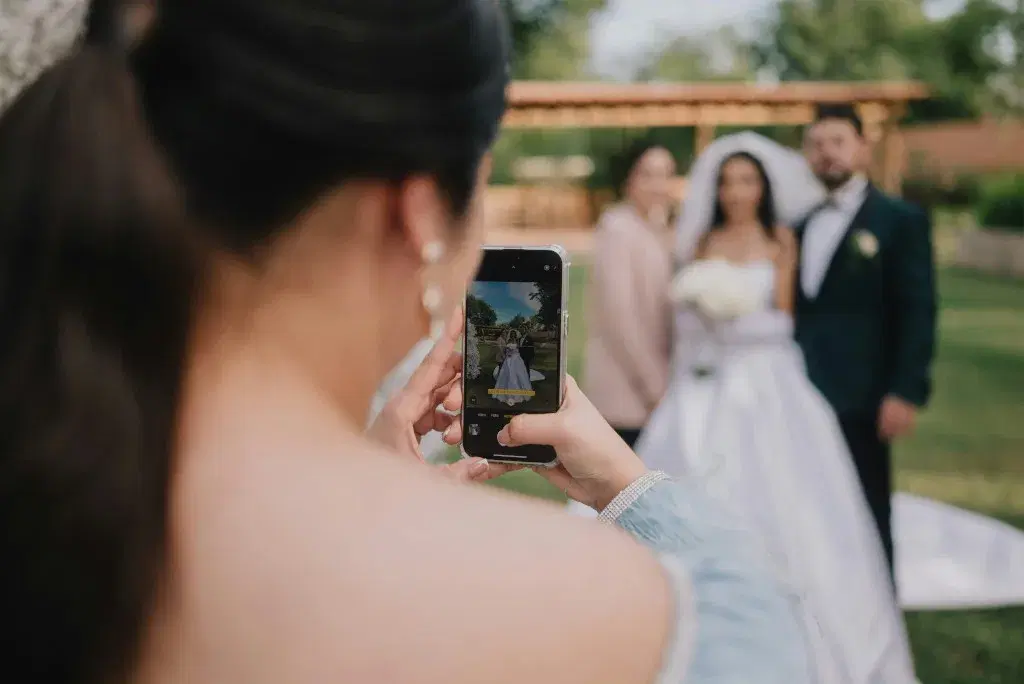
Photo by Fotógrafo Samuel Cruz on Unsplash
Why Wedding Guest Photo Sharing Is So Difficult
Most couples underestimate how difficult it is to gather photos from guests.
Here’s what usually happens:
- Guests promise to send photos but forget.
- Photos are sent via WhatsApp — compressed and lower quality.
- Some guests use iPhones, others use Android — AirDrop doesn’t work for everyone.
- Shared albums require a login or account creation.
- Giving access to a Google Drive folder can feel risky.
By the time you try to collect everything, weeks have passed — and many precious moments are lost.
A simple, modern solution is needed.
The Smart Way: Wedding Guest Photo Sharing with QR Code
Instead of chasing guests for photos, you can create a private wedding photo upload page.
Here’s how it works:
- Create your wedding guest photo sharing page.
- Generate a unique QR code.
- Display the QR code at your venue (tables, entrance, photo booth, backdrop).
- Guests scan the code and upload instantly.
All photos are automatically saved to your Google Drive in full resolution.
No folder sharing.
No email attachments.
No technical setup.
It’s the easiest way to collect wedding guest photos.
How SendToDrive Makes Wedding Photo Collection Easy
SendToDrive is designed for simple, secure file collection. For weddings, it becomes the perfect guest photo sharing tool.
✅ No Login Required
Guests don’t need:
- A Google account
- To download an app
- To go through a registration process
They simply scan the QR code and upload.
✅ Direct Upload to Your Google Drive
Every photo goes directly into your own Google Drive folder.
That means:
- You control the files
- You keep the original quality
- You don’t rely on third-party galleries
- You can organise everything easily
✅ Full-Resolution Wedding Photos
Messaging apps compress photos.
With proper wedding guest photo sharing, you receive the original files — perfect for:
- Printing albums
- Creating wedding videos
- Designing thank-you cards
- Preserving long-term memories
✅ Private and Secure
Unlike shared folders, guests cannot view or edit your Google Drive.
They can only upload.
Your files stay private and protected.
Wedding QR Code Photo Sharing: Why It Works So Well
QR codes are perfect for weddings because they are:
- Fast
- Modern
- Easy to use
- Compatible with all smartphones
Guests already use their phones constantly during events. Adding a small QR code card to each table makes participation effortless.
You can print something like:
Scan to Share Your Photos with the Bride & Groom 💍
Simple instructions dramatically increase upload rates.
Perfect for Any Type of Wedding
Wedding guest photo sharing works for:
- Indoor wedding receptions
- Outdoor garden weddings
- Beach weddings
- Destination weddings
- Intimate private ceremonies
- Large ballroom events
Whether you have 30 guests or 300, the process stays simple.
A Better Alternative to Shared Wedding Albums
Many couples try:
- Google Photos shared albums
- Dropbox links
- AirDrop transfers
- WhatsApp groups
But these options often create unnecessary friction.
A dedicated wedding guest photo sharing page removes that friction.
No permissions.
No confusion.
No tech support needed from the groom during dinner.
How to Set Up Wedding Guest Photo Sharing in Minutes
Setting up your wedding photo upload page only takes a few steps:
- Create your upload page with SendToDrive
- Generate your QR code
- Print or display it at your wedding
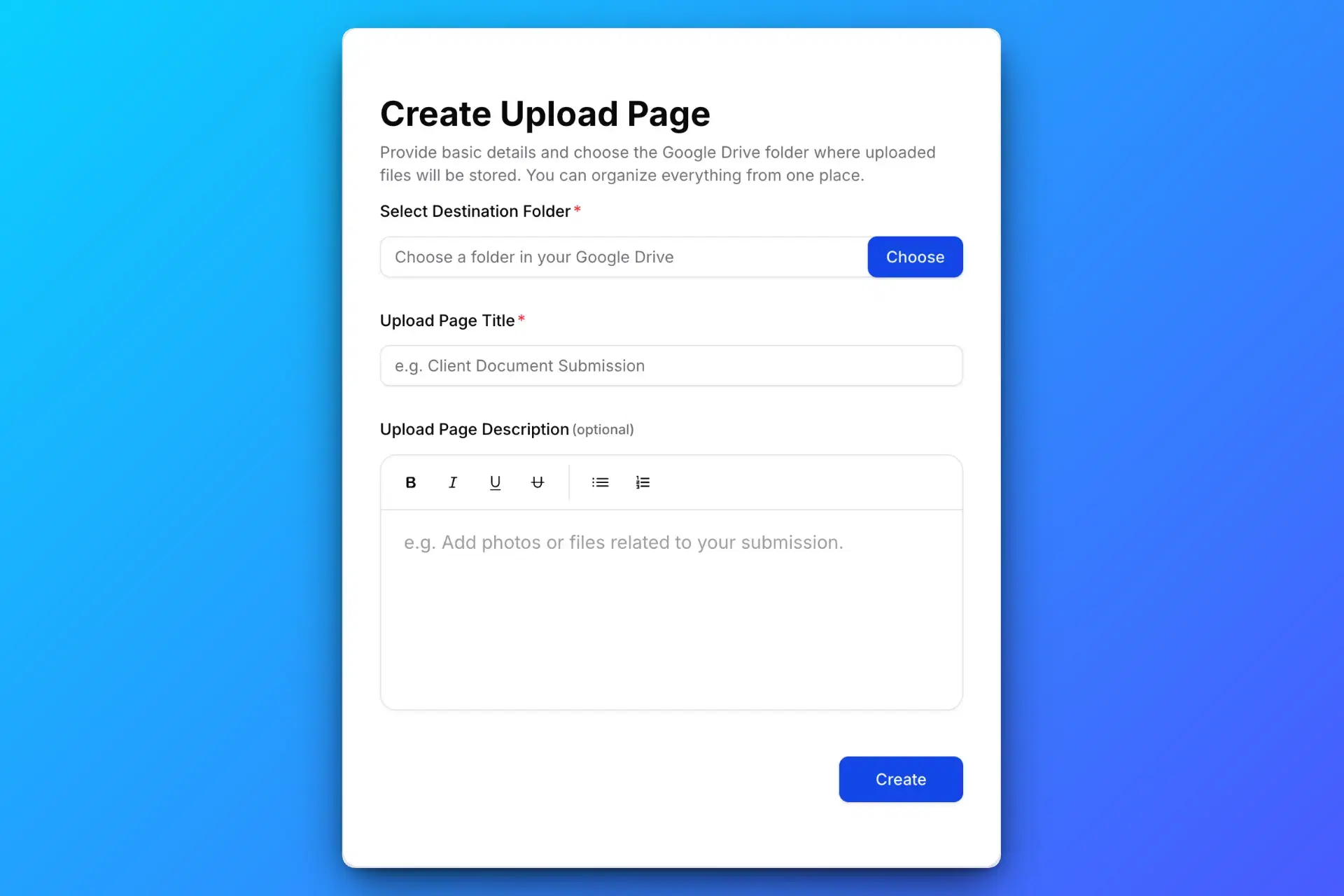
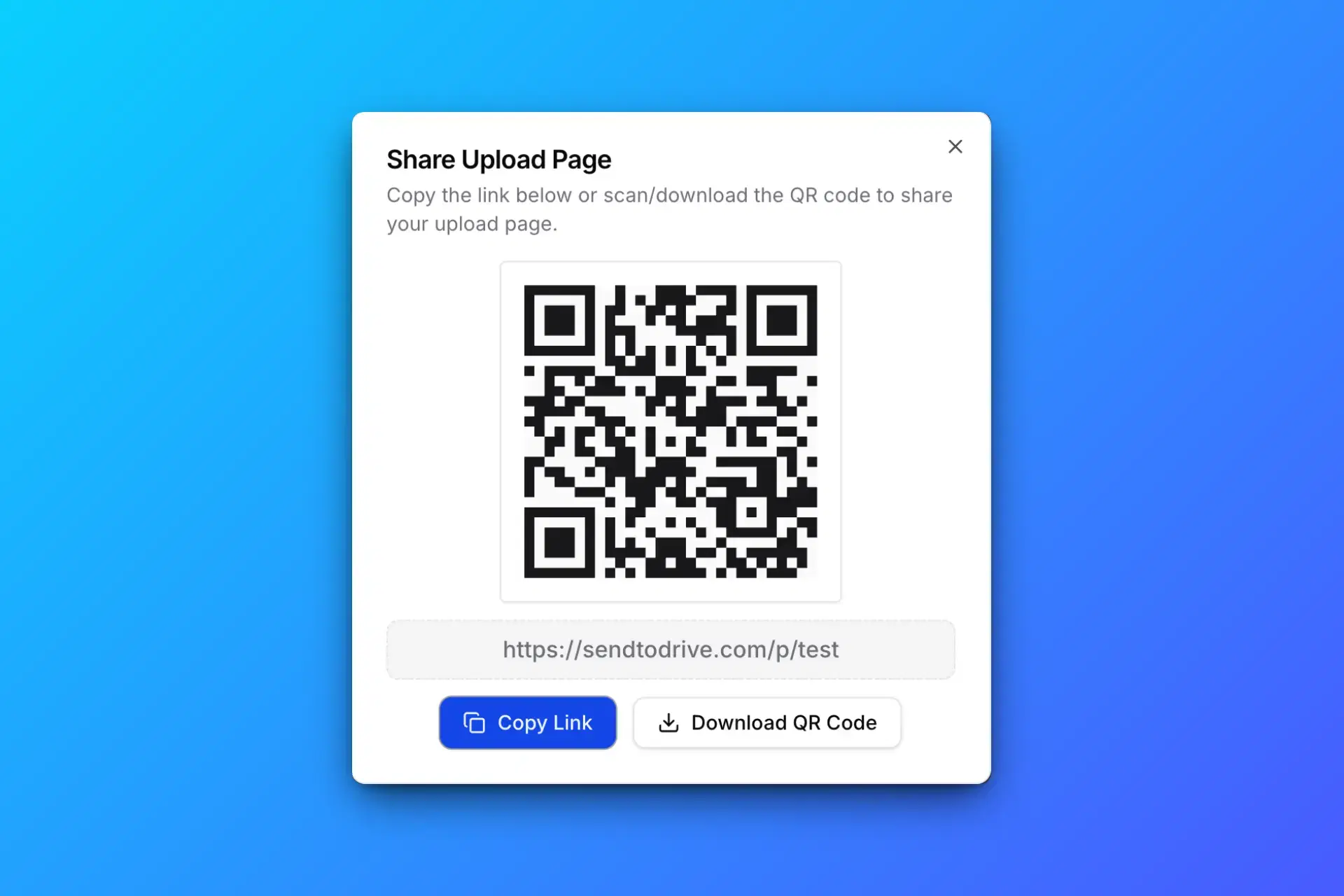
That’s it.
You’re ready to collect every memory.
Make It Part of Your Wedding Experience
You can make the QR code part of your wedding décor:
- Table cards
- Welcome boards
- Photo booth signs
- Wedding programmes
- LED screen slideshows
The more visible it is, the more photos you’ll receive.
Some couples even create a small message such as:
Help us capture every moment — scan and upload your photos!
This turns guests into contributors to your memories.
Benefits of Proper Wedding Guest Photo Sharing
When done properly, you get:
- More candid photos
- Different perspectives
- Emotional behind-the-scenes moments
- Higher-quality files
- Centralised storage in one place
Instead of chasing people after the honeymoon, everything is already organised.
Why Couples Choose SendToDrive
Couples choose SendToDrive because it is:
- Simple
- Secure
- Quick to set up
- Non-technical
- Affordable
- Designed for direct Google Drive integration
No complicated photo gallery platform.
No account creation headaches.
Just clean, efficient wedding guest photo sharing.
Preserve Every Wedding Memory
Your wedding day only happens once.
Professional photos capture the big moments — but guest photos capture the soul of the celebration.
Don’t let those memories disappear into chat apps or forgotten camera rolls.
Use wedding guest photo sharing with QR code upload and collect everything in one secure place.