Wedding memories
StudioLet every guest add their favorite photos and videos to your big day.
The easiest way to collect files directly to your Google Drive. Create secure upload pages for clients or friends with no account needed. Fast, free, and secure.
Try one upload page free for 24 hours. A paid plan keeps it available after the trial.

A link for every occasion
From wedding memories to your next big project. Give every file a home with an upload page that feels like you.
Let every guest add their favorite photos and videos to your big day.
One familiar place for coursework, class projects, and final submissions.
Collect project details, briefs, and brand assets with a structured intake form.
Bring everyone's shots, footage, and creative work together after the show.
Gather candidate details, CVs, portfolios, and certificates in separate fields.
Collect property details, listing photos, and floor plans in one organized submission.
Receive print-ready artwork with order details and finishing instructions.
Keep expense details, itemized receipts, and supporting invoices together.
Get guest bios, headshots, and audio files ready for the next episode.
Swipe or drag to explore
Show Wedding memories, example 1 of 9
Your colors, your fonts, your own little corner of the web.

If you’re trying to decide between Dropbox or WeTransfer but already pay for Google Drive storage, there’s no need to use another subscription model. SendToDrive worked exactly how I wanted it to. I’m a photographer and used it with a second shooter. I just sent him the link, and the files showed up directly in my folder. He didn’t use any of his own storage, and I didn’t have to download anything extra. It works seamlessly with my Google Workspace. Honestly, what a dream. I’m genuinely so happy I found this. I’ve already upgraded to the premium plan.
Nikki Allen
Studio Owner at Spilt Coffee Studio
Collecting files shouldn’t feel complicated. SendToDrive helps you receive files faster, cleaner, and without friction — directly into your Google Drive.
Anyone can upload files instantly. No account, no signup, no friction.
Create upload links or QR codes in seconds and share them anywhere.
Each upload can go into its own subfolder, keeping your Drive clean.
No back-and-forth emails or “file too large” issues. Just upload.
Files go directly to your Google Drive. You stay in full control.
Client files, job applications, event submissions, or internal teams.
Create an upload page, share the link, and collect files directly in your Google Drive.
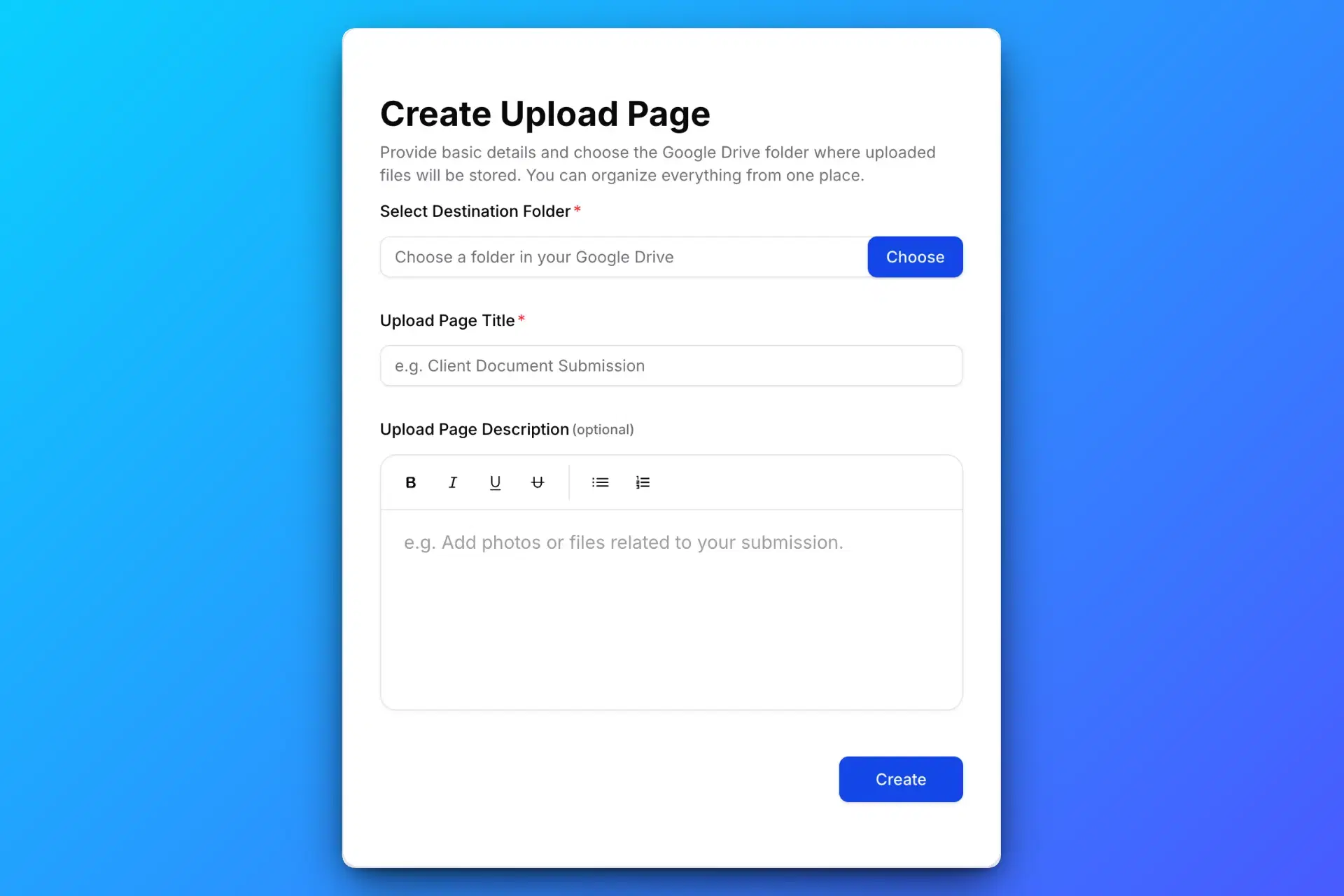
Create a secure Google Drive upload page using SendToDrive to collect files in one place.
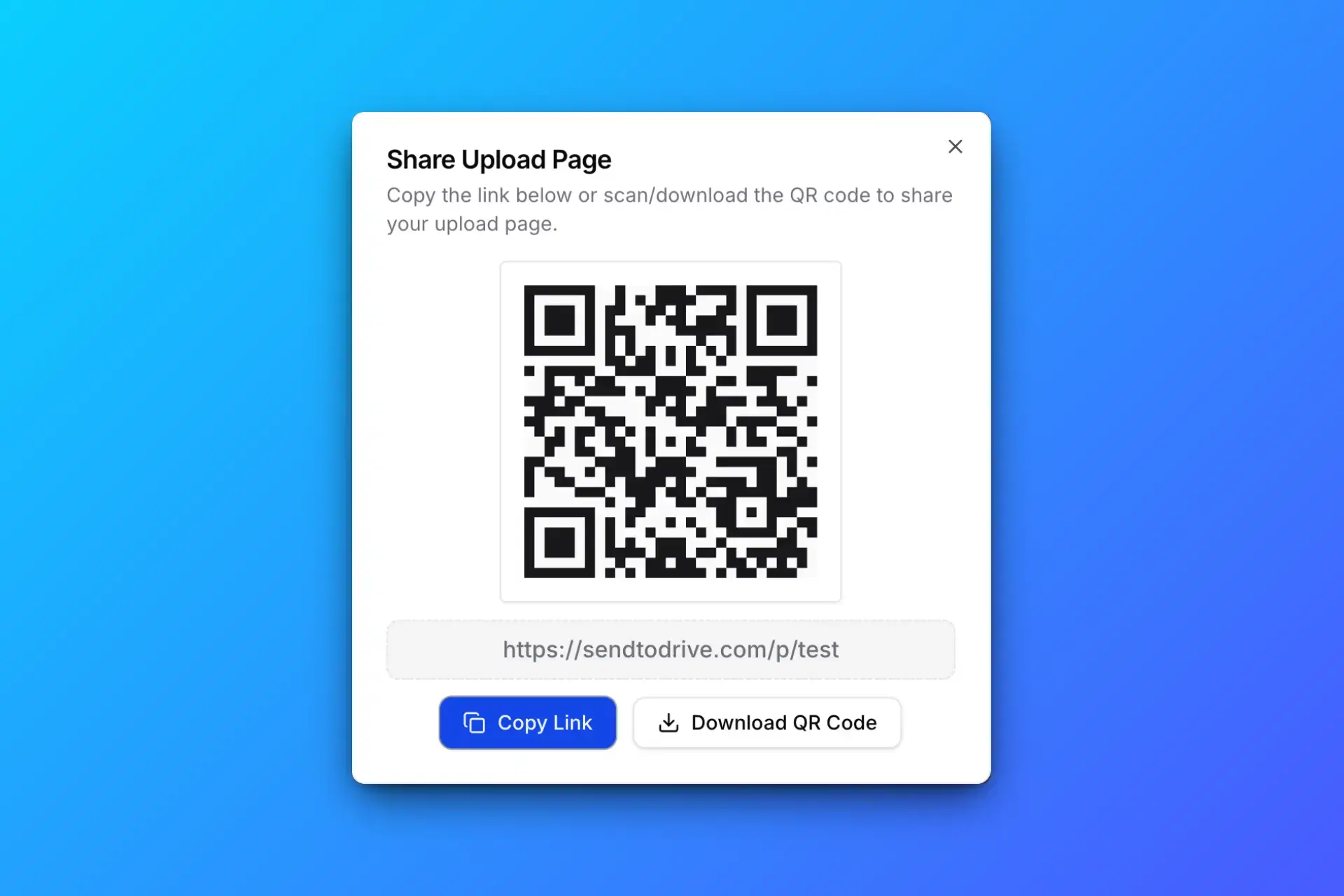
Share your Google Drive upload link or QR code with clients, teams, or anyone who needs to upload files.
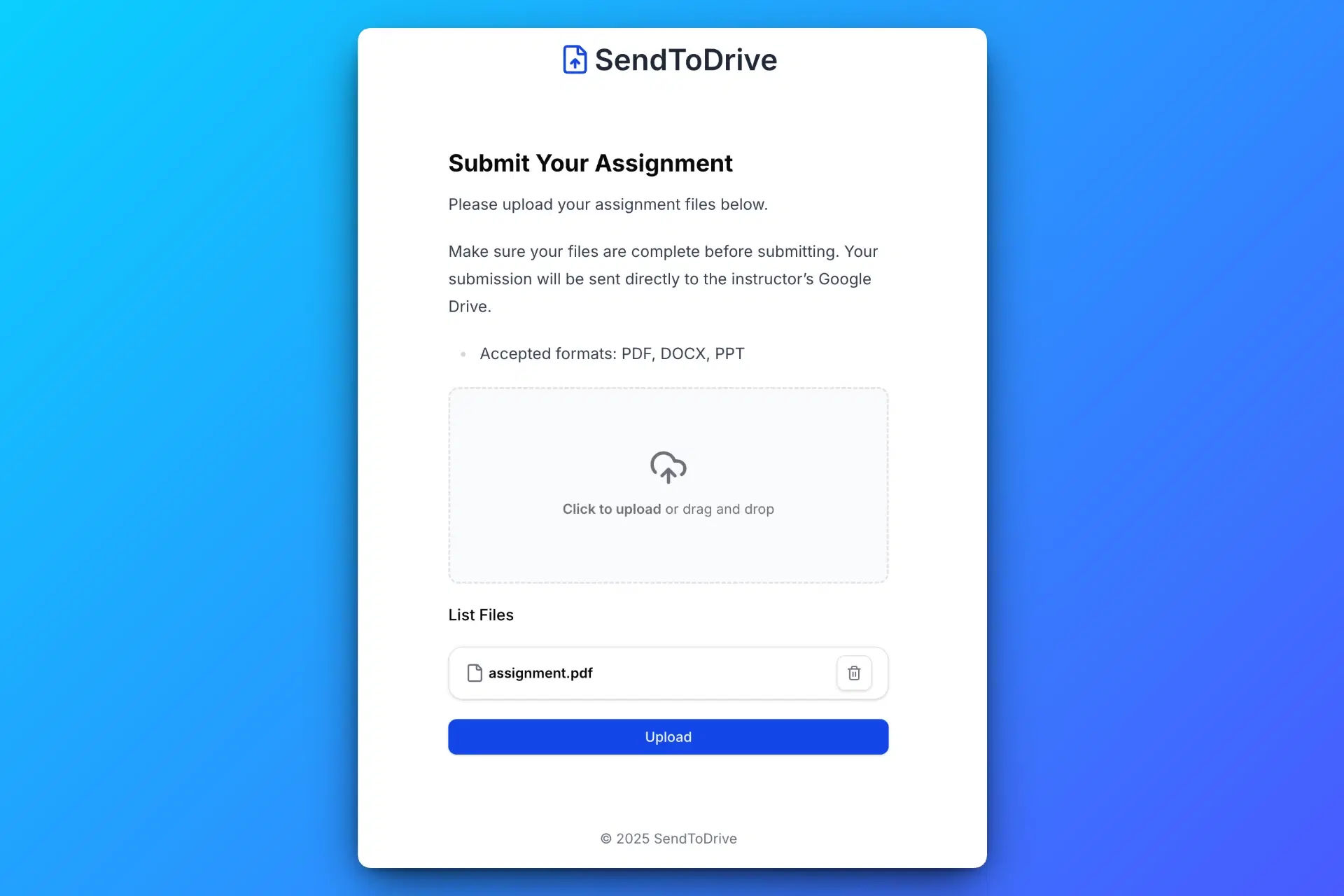
Anyone with the link or QR code can upload files to your Google Drive without logging in or requesting access.
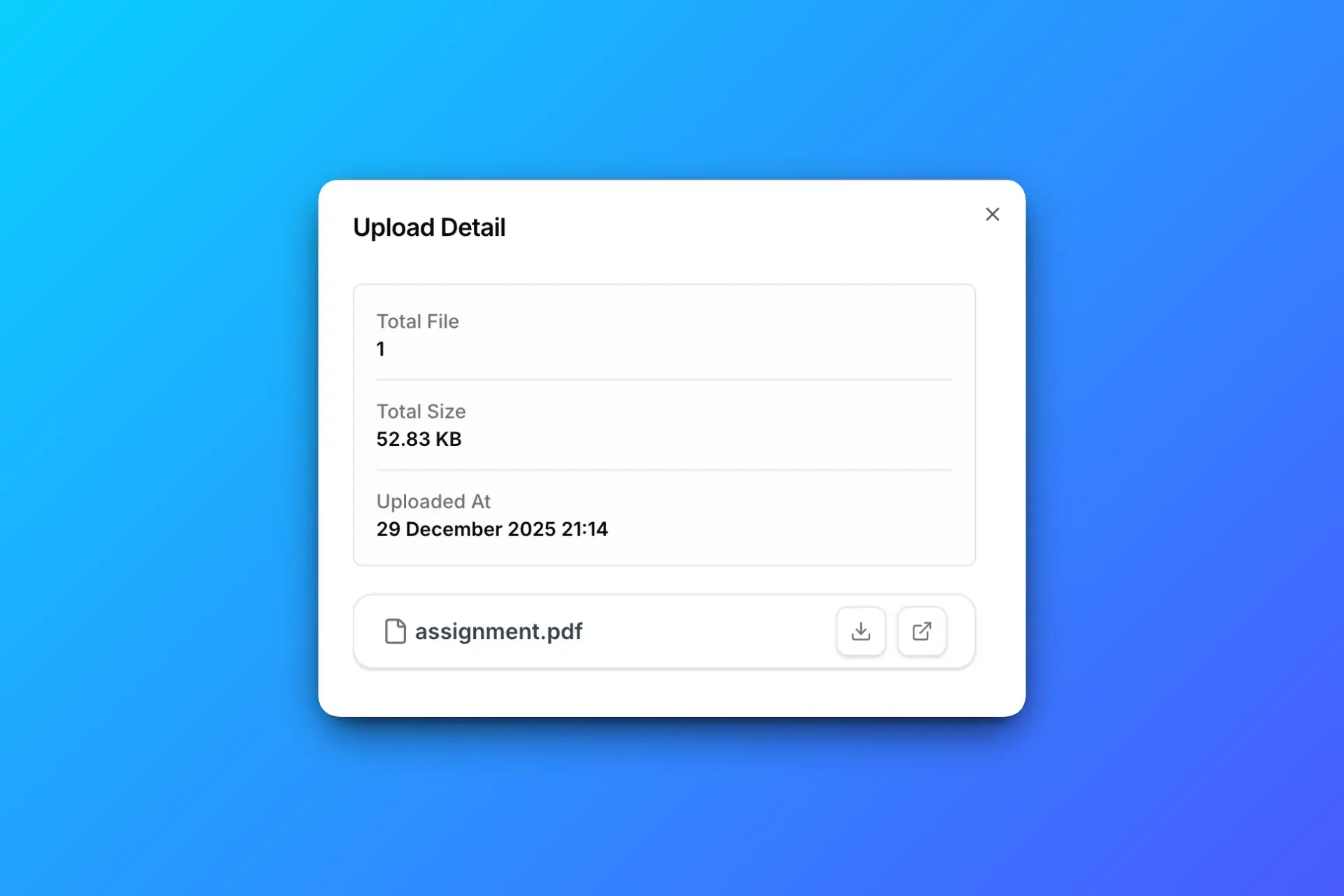
All uploaded files are automatically saved to your Google Drive, organized and ready to use.
Everything you need to collect files securely and directly in your Google Drive.
Structured upload forms
Collect CVs, portfolios, and certificates in separate upload fields, together with sender details.
Available with personal Premium or workspace Business.
Create Google Drive subfolders by document category.
Create a Google Drive upload link or QR code that lets anyone upload files directly to your Google Drive.
Secure your Google Drive upload page with a password to control who can send files.
Restrict uploads to approved email addresses or domains, with optional access codes for extra control.
Get instant email notifications whenever someone uploads files to your Google Drive.
Automatically send uploaders a confirmation email after their files are successfully received.
Set an expiration time for your upload page to automatically stop receiving files.
Customize your upload page with your logo and brand name for a professional client experience.
Customize your upload page with templates, light and dark palettes, fonts, spacing, and rounded corners.
Collect sender details like name, email, and notes along with uploaded files.
Automatically create a separate subfolder for each upload to keep files organized.
Send uploads to the right Google Drive folder automatically based on form answers.
Create custom upload forms to collect files and additional information from senders.
Team workspace
SendToDrive workspaces give teams one place to manage upload pages, route submissions to Google Drive, invite teammates, and keep client intake organized.
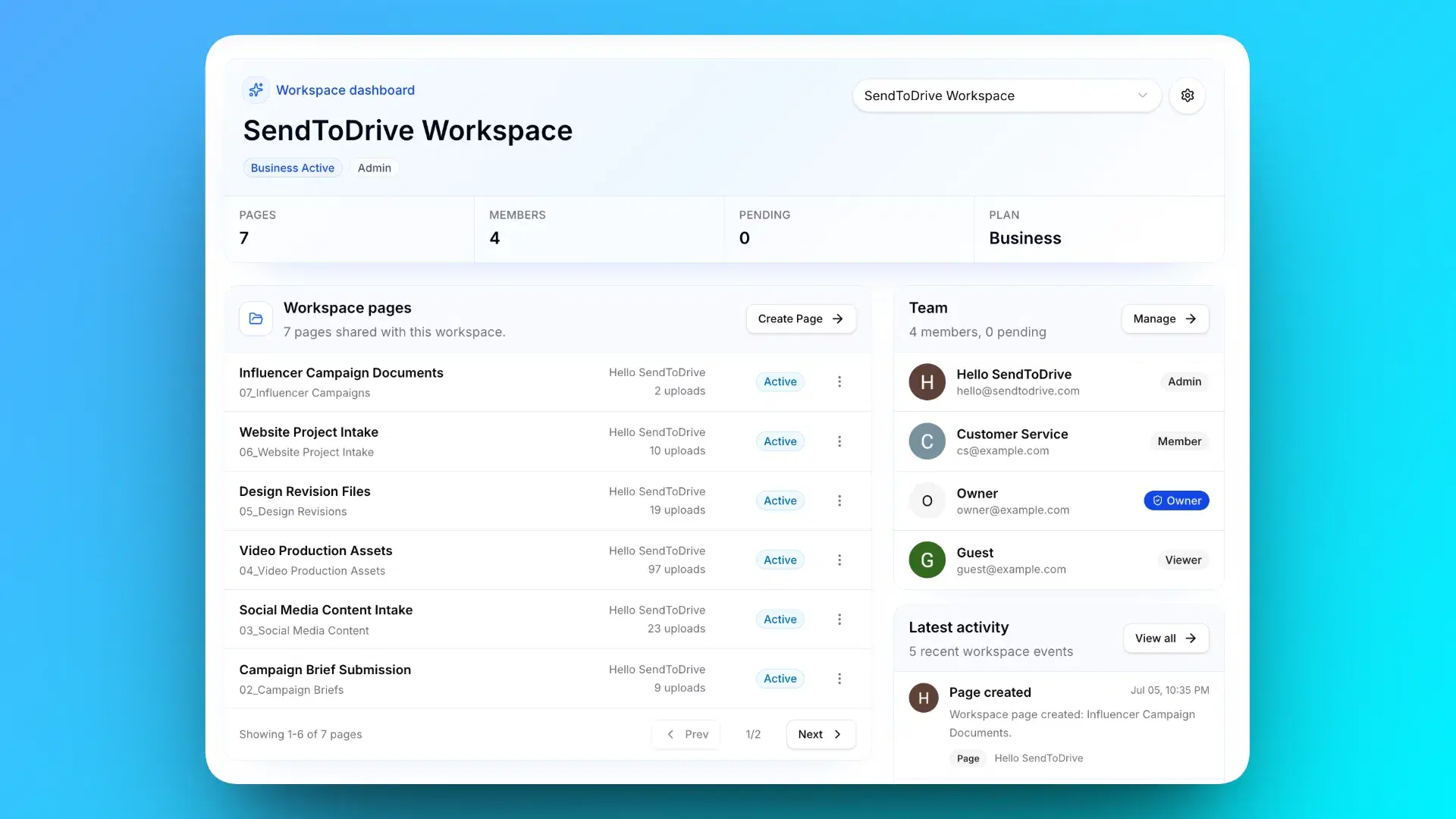
Real use cases
From client intake to internal review, SendToDrive helps teams collect files into Google Drive without uploader logins, repeated emails, or messy shared folders.
Collect resumes, portfolios, IDs, and screening documents without asking candidates to create an account.
Receive assignments, certificates, consent forms, and project files directly into the right Drive folder.
Let clients and collaborators send large source files, edits, references, and final assets from any device.
Collect registrations, guest photos, speaker materials, waivers, and post-event media through one link or QR code.
Gather tenant documents, inspection photos, contracts, and property media while keeping each submission organized.
Collect project files and assets directly in Google Drive.
Accept artwork, print-ready files, proofs, and order notes without email size limits or messy shared folders.
Collect reports, approval files, compliance documents, and team submissions in one predictable place.
Simple and transparent pricing for sending files directly to your Google Drive. Try one page for 24 hours, then upgrade when you are ready to keep collecting files.
Unlock advanced features for collecting files securely to your Google Drive.
Cancel anytime. No long-term commitment.
A focused team plan for workspace upload pages, roles, and simple seat billing.
Includes 2 seats
Extra seats are $4.99/user/month.
Business billing is currently available in USD only. More currencies will be supported later.
Fixed seats, simple billing, cancel anytime.
Paid plan prices exclude applicable taxes. Taxes are calculated by Paddle, our merchant of record, at checkout based on your billing location.
Common questions about sending files to your Google Drive using SendToDrive.
Learn about sender accounts and folder accessFounder story
(the person who built SendToDrive)
During COVID, my mother, a senior teacher, suddenly had to teach from home.
She was not very comfortable with technology, but she still needed a simple way to receive files from her students. So everything went through WhatsApp.
At first, it felt practical. Then assignments kept coming every day: photos, PDFs, videos, and documents. Her phone storage filled up, and the phone started getting slow.
Finding one student’s work inside hundreds of chat messages became stressful. The tool that was supposed to help her teach was quietly making her day harder.
That problem at home made me realize this was not just my mother’s problem. Teachers, admins, communities, and small businesses all need a cleaner way to collect files from other people.
So I built SendToDrive: share one upload link, let anyone send files, and everything lands directly in your Google Drive.
No app installs. No uploader account. No full phone storage. Just a simple link that keeps files organized from the start.
Try it free and save yourself the messy file chase.
Create a secure upload link and let anyone upload files directly to your Google Drive — no login, no permission sharing.